Video explicativo de noticias de última hora — estilo Flash brief
Crea un explicativo de última hora sin un segundo aburrido: subtítulos golpeados, la palabra hablada en un recuadro, un mapa satelital, contadores y efectos de sonido, todo en 1 clic.
Included from Starter, with all 24 styles plus your own · preview rendered by the ClipOnIt engine
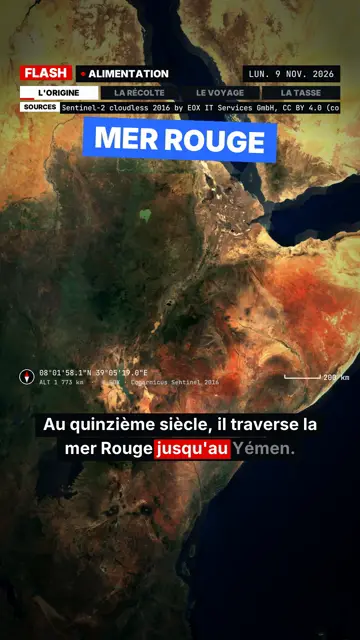
Así se ve este estilo
Flash brief borrows the format of news videos that never let you breathe: the voice keeps going, and each piece of information lands as a slammed caption. The captions come in four colours, each with a meaning: white for context, red for the hard fact, blue for the goal, yellow for the follow-up. In the subtitles, a red box tracks the spoken word.
The screen is split between a satellite map that places the story and a black panel where cards appear: quote, counters, crossed-out A/B options, gauge, calendar. Every event has its own sound (stamp, title tick, location ping, zoom whoosh), and in-house music shifts section with the story. Sharp zoom-punches, followed by a slow push, keep attention up.
Temas para los que sirve
Avoid: calm, moving or personal topics: the tight pace and sound effects crush them. The style does no 3D illustration or country outlines, and it does not zoom from a continent down to a street. For a slower story, pick Pixel News or Red documentary.
- Ongoing storiesThe pace and colour-coded captions sum up a complex story in a minute without losing the thread.
- The numbers behind a scandalRising counters and the gauge make an amount or a percentage concrete.
- A quote put back in contextThe quote card shows the exact words, then the captions explain who said them, where and when.
- A story that happens somewhereThe satellite map places the location in seconds, at the scale of a region or a site.
Ideas de video en este estilo
- Why coffee prices are soaring
A map of the growing regions, a price counter climbing, a red caption on the main cause.
- A court ruling in one minute
A calendar of the case, a quote from the ruling, crossed-out A/B points for what was dismissed.
- What a new law changes
A blue caption on the goal, a gauge on the expected effect, a yellow caption on what is still unclear.
- A massive network outage
A map of the affected region, a counter of homes hit, a ping on each place named.
Consíguelo en 1 clic
- Abre el enlace de este estilo
El botón “Crea un video en este estilo” abre el editor con este estilo ya seleccionado. Sin cuenta, registrarte toma un minuto y no necesitas tarjeta.
- Escribe tu tema en una oración
Una idea basta. También puedes pegar tu texto o, desde Starter, narrar con el micrófono: el video se construye entonces con tu voz.
- Revisa y luego genera
La IA escribe las escenas, elige los elementos del estilo y los sincroniza con las palabras, con voz y subtítulos. Corriges lo que no cuadre y luego el MP4 vertical llega en unos minutos.
Lo que puedes ajustar
You can rewrite each caption and pick its meaning colour, change the map location, enter a counter's figures, a quote's wording or the A/B options to cross out. Scene length, narration and three variants per scene stay in your hands. The rest sets itself (slightly sped-up voice, closing caption, sounds timed to events); from Starter, you can record your own voice and make fixes by talking to the AI Director.
Frequently asked questions
Gratis o no, resultado, usos: las respuestas breves.
How is it different from Satellite briefing?
Both use the same satellite imagery. Satellite briefing takes its time, with flyovers and an investigation frame; Flash brief chains captions, cards and sound effects for a breaking-news pace.
Are the sound effects and music included?
Yes. They are synthesised by the engine and timed to every event in the video, with no sound library to manage.
Can I use it for news that just broke?
Yes, if you provide the facts: AI works from what you write. Check the figures and cite your sources before posting.
¿Este estilo está en el plan gratis?
No, it comes with Starter ($29/month): 15 watermark-free videos a month, all 24 styles plus your own. The free plan gives 3 videos a month with a watermark in 8 other styles: Pixel News, Press paper, Comedy cartoon, Class sketch, Night tale, Social screen, Retro synthwave and Flat vector.
Si te gusta este estilo
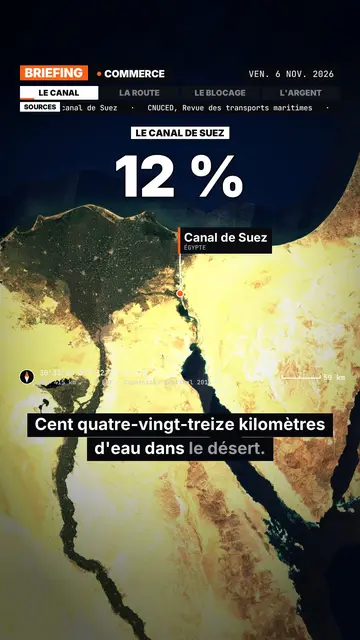
Satellite map explainer video
Satellite briefing style · Real satellite imagery, flyovers, pins and routes, sourced news bar.
- Free
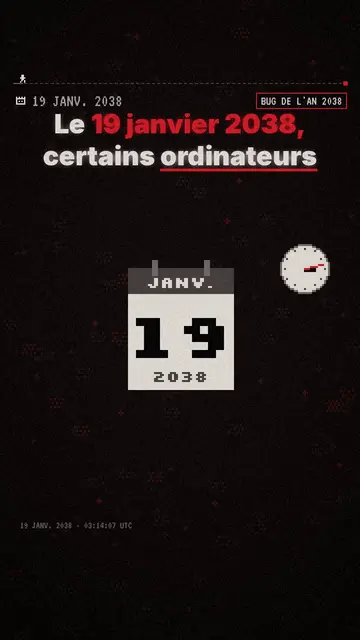
Pixel art explainer video maker
Pixel News style · Grey-and-red pixel art, dated HUD, word-by-word captions.
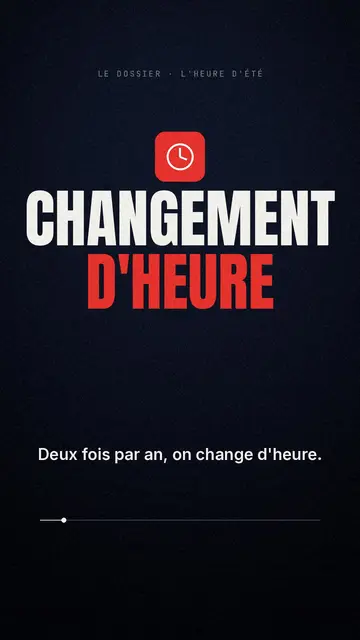
Documentary style explainer video
Red documentary style · Midnight blue, red pictogram, huge condensed headline.
Tu idea, en este estilo
Escribe una oración o dítala: el estilo ya estará elegido cuando llegues al editor.